Skip to content

TWO WAYS TO SELL YOUR OFFER

GoCushy vs
ThriveCart.
Find your better fit.

A good checkout fits what you sell — and how you like to work. Here’s where we overlap, where we differ, and what to check before you choose.

THE GOCUSHY BUYING EXPERIENCE
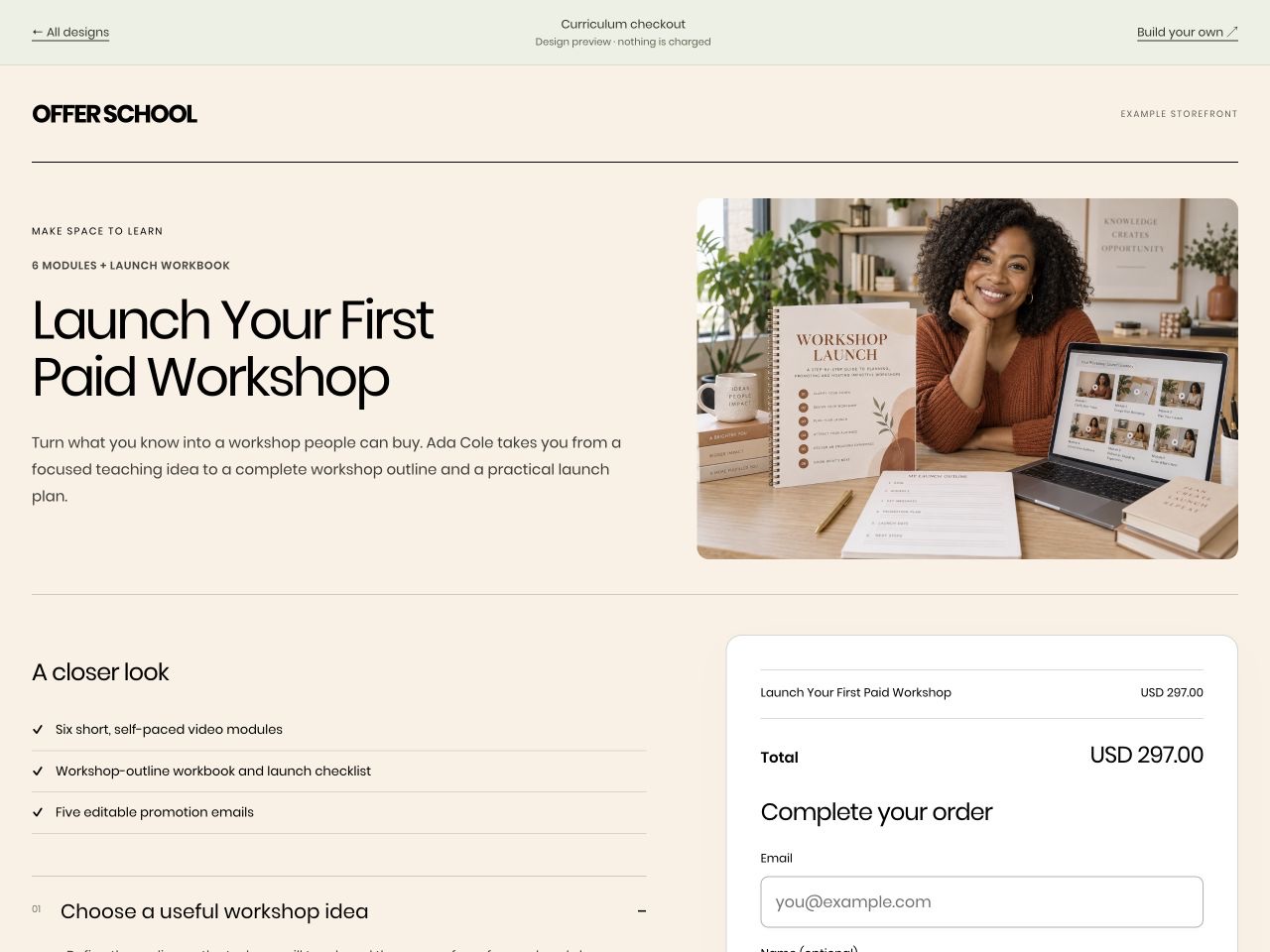
GoCushy course checkout for the fictional Offer School workshop, with the offer and payment form side by side
Your offer. A checkout to match.Illustrative design · fictional brand · no payment taken

THE SHORT ANSWER

Start with the way
you want to work.

This isn’t a scoreboard with one winner. Pick the tools that fit your next offer, the systems you already use, and the work you want to do yourself.

GOCUSHY

A checkout you can run.
An AI you can bring.

For sellers who want a web workspace for their offers, with the option to use their own connected AI for supported tasks.

  • Build and manage offers in the dashboard.
  • Connect your own payment account.
  • Use your AI when it helps — it isn’t required.
See GoCushy plans

THRIVECART

Checkout tools.
Courses and community.

Worth a look when built-in A/B testing and an integrated course/community platform are high on your list.

  • A/B checkout and funnel testing.
  • Academy for courses and communities.
  • Affiliate tools on Pro+.
Check ThriveCart’s current plans

THE ESSENTIALS, SIDE BY SIDE

Less guesswork.
A clearer comparison.

Plan inclusions and provider support matter. These are product capabilities, not a promise that every feature is included in every plan.

On a small screen, scroll the table sideways to compare both products.

GoCushy and ThriveCart capabilities, reviewed 22 September 2026
What matters to youGoCushyThriveCart
Everyday operationWeb dashboard, plus optional connected-AI tools via MCP.Dashboard, API, webhooks and integrations. [2]
Checkout designDesign library; hosted links, popup and inline embeds.Checkout templates and multiple layouts. [1]
Bumps & upsellsOrder bumps and post-purchase upsell/downsell flows.Available; bump limits vary by plan. [1]
Recurring offersSubscriptions and trials, subject to payment-provider support.Subscriptions and trials. [1]
Affiliate programmeReferral tracking, commissions and refund clawbacks; included in the monthly plan.Affiliate centre on Pro+. [1]
Tax & invoicesStripe Tax on your registrations and sequential tax invoices; included in the monthly plan.Sales-tax tools and invoice-style receipts. Bulk PDF exports require Pro+ and Connect+. [3]
Course deliveryLink your checkout to your course or delivery destination; not a built-in learning platform.Academy courses and communities; hosting and legacy rights depend on plan. [4]
Built-in A/B testingNot currently included.Included in advertised Standard and Pro+ plans. [1]

GoCushy details: product documentation and current plan inclusions. Competitor details: official sources below. Both products can change.

GOCUSHY, IN PRACTICE

Use the dashboard.
Bring your AI.
You’re still in charge.

Start with your offer, price and delivery details. Build directly in GoCushy, or connect a compatible AI client to help with supported tasks. Review the result before you share it.

Explore the prompt library
  1. 01

    Put your offer together.

    Choose what’s included, how it’s priced and where buyers go after paying.

  2. 02

    Make the checkout yours.

    Pick a design and add a relevant extra if it belongs in the offer.

  3. 03

    Review. Test. Then share.

    Check payment, delivery and follow-up. Your connected account handles the money.

SEE THE EXPERIENCE FOR YOURSELF

Your product isn’t generic.
Your checkout needn’t be.

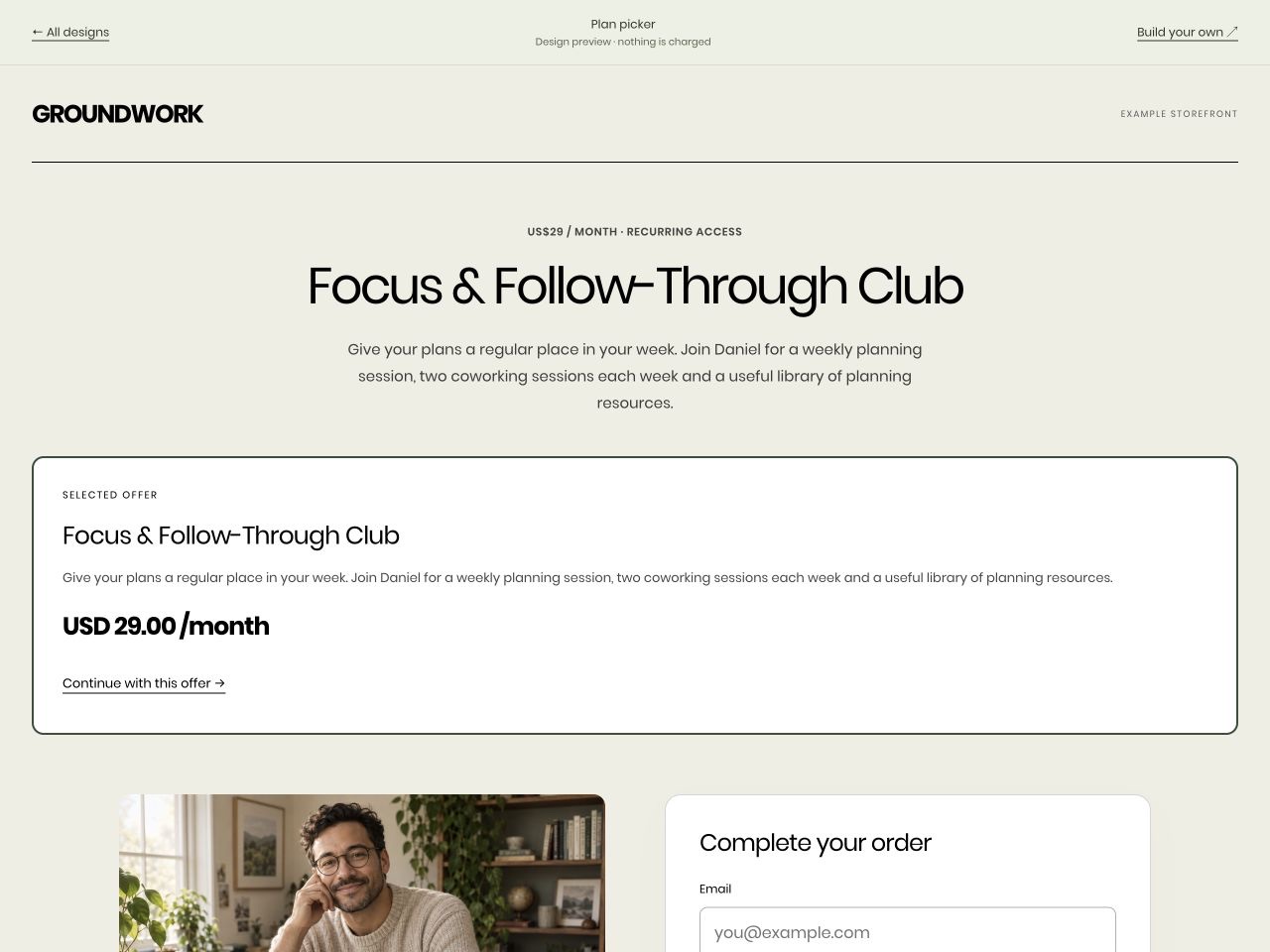
Explore the design library

Illustrative products and fictional brands, not customer testimonials. Preview prices are examples; no payment is taken.

COMPARE THE WHOLE COST

Know what’s included.
Know what’s separate.

Compare the billing period, feature limits and payment-provider charges — not just the headline price. Review each provider’s current terms before buying.

ThriveCart lists monthly and annual plans. Confirm the current price and the Academy tier you need on its own website.

THE GOCUSHY MONTHLY PLAN

US$99/month

First 30 days free. Card required.

  • 0% added GoCushy platform fees.
  • Checkout tools, tax and affiliates included.
  • Use the dashboard or a connected AI.
Review pricing & inclusions

The Free plan carries a 3% GoCushy platform fee. Payment-provider fees and applicable tax remain separate. Account creation alone does not activate a trial.

ALREADY SELLING?

Start small.
Keep what’s working.

You don’t need to replace a working setup in one afternoon. Test a new or recreated offer in GoCushy first, while your existing checkout keeps serving its buyers.

Connecting your existing Stripe account does not automatically move subscriptions, course access, affiliate agreements or email automations. Verify those separately before retiring anything.

Read the setup guides

BEFORE YOU DECIDE

A few straight
answers.

Is GoCushy better than ThriveCart?

It depends on your offer and workflow. GoCushy combines a web dashboard with optional connected-AI tools. ThriveCart offers checkout tools, A/B testing and an Academy course/community platform. Try the buying journey and check the plan inclusions that matter to you.

What does GoCushy cost?

The monthly plan is US$99/month after a 30-day free trial, with 0% added GoCushy platform fees. A card is required for trial activation. The Free plan has a 3% GoCushy platform fee. Payment-provider fees and applicable tax are separate. Review the pricing page before choosing.

Does ThriveCart include courses and invoices?

Yes. ThriveCart offers course tools and invoice-style receipts, including PDF downloads. Academy media hosting, community features and bulk invoice exports depend on your plan and setup. Check the linked official documentation for the exact inclusions.

Do I need to use AI with GoCushy?

No. Use the web dashboard directly. A compatible AI client is optional and uses the permissions you grant it. Review the offer, price and delivery flow before sharing your checkout.

Can I keep my existing Stripe account?

You can connect an eligible existing Stripe account to GoCushy. Connecting it does not automatically migrate subscriptions, course access, affiliate arrangements or automations. Keep the old setup running until you have tested each replacement and confirmed ongoing obligations.

CHECK THE DETAILS

Sources, not guesses.

Reviewed 22 September 2026. Written by GoCushy’s founder, not an independent reviewer. ThriveCart is a trademark of its owner; GoCushy is not affiliated with ThriveCart.

  1. ThriveCart plans and advertised capabilities ↗
  2. ThriveCart API, integrations and data exports ↗
  3. ThriveCart receipts and invoices ↗ · Bulk-export requirements ↗
  4. ThriveAcademy plans, hosting and legacy rights ↗

YOUR NEXT OFFER STARTS HERE

Good work deserves
a good checkout.

Find your GoCushy plan Or explore the examples